
Preparing youth for post-secondary education by integrating college preparatory academics with continuous professional work experience.
Preparing youth for post-secondary education by integrating college preparatory academics with continuous professional work experience.
Preparing youth for post-secondary education by integrating college preparatory academics with continuous professional work experience.
Industry:
Education
Desktop
Design
Engineering
Analysis
Using Schooldriver, the largest existing open source school information system, Cristo Rey managed school staff, students, and activities.
Research & Analysis
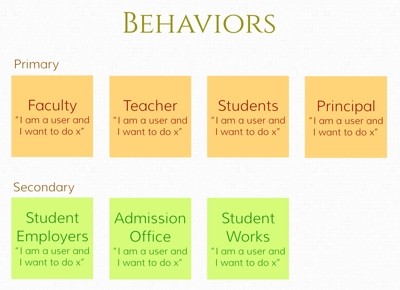
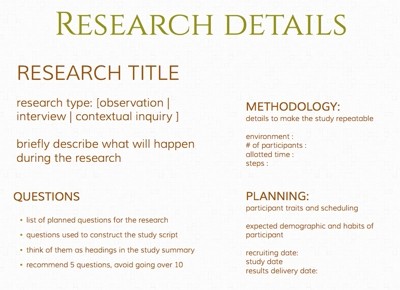
Delving deep into the behaviors of different personnel is crucial to helping them achieve goals. People are more than their titles, and using research and personas to define them helps get the right product in their hands. Research Inquiries were standardized and simplified across dozens of roles for better attunement with daily procedures.
Interaction Analysis
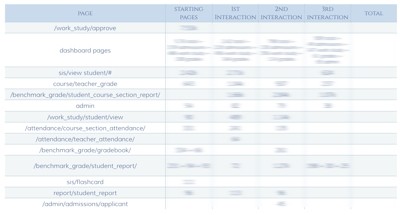
Products pathways are unpredictable, and people interact with software in unintended ways. By quantitatively assessing differing decisions people make, we can forge the shortest path to the best solution. Getting a view of the choices and level of interaction can offer profound insight on what to prioritize in a design
Feature Prioritization
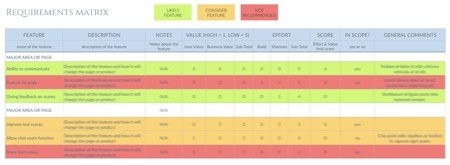
A good product is more than a sum of it's features. With means to prioritize the right request, software can stay on task and meet proper requirements. Proper tools put products into perspective.
User Flow Analysis
Drastic changes to home pages requires quantitative insight into behaviors. Analyzing user flows can determine when users give up or accomplish goals
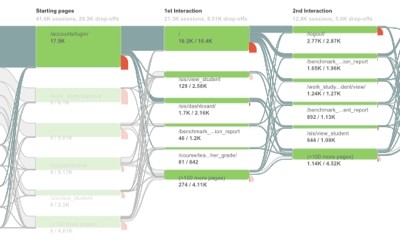
Research and experiments are the difference between designing products that helps people, or getting in their way. By presenting users with options and gathering feedback through interviews and contextual inquiries, we can get a qualitative sense of their expectations when using new tools
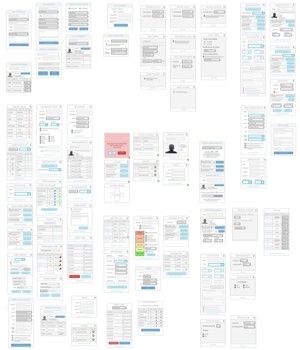
Creation & Modernization
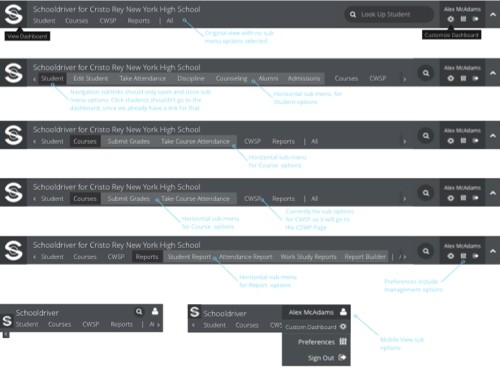
Driving the design direction of one of the largest open source information school system meant understanding and changing how the information was organized
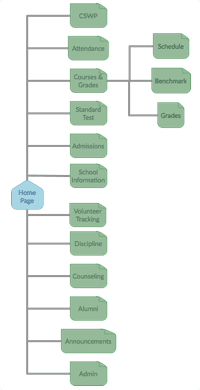
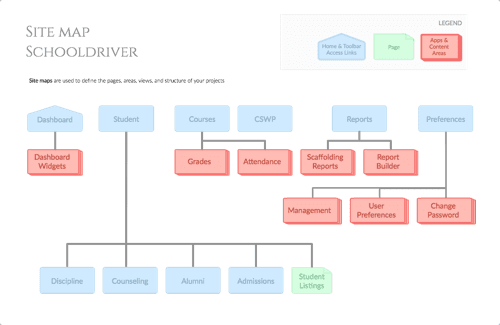
Initial home page relied healiy on django admin interface. But was implementing apps and views to improve experience and capabilities.
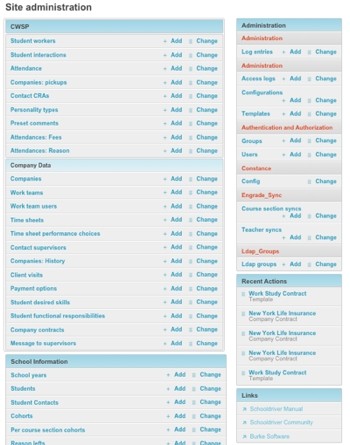
Knowledge about collected information and user habits lead to a methodical shift from showing a mildly organized list of links, to displaying contextual information categorized under a page structure that matched closely with school departments
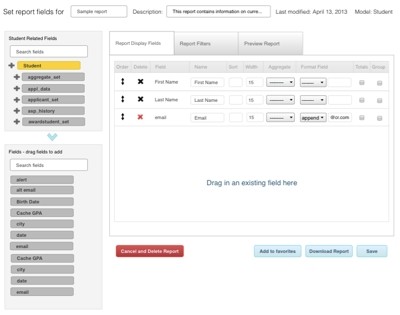
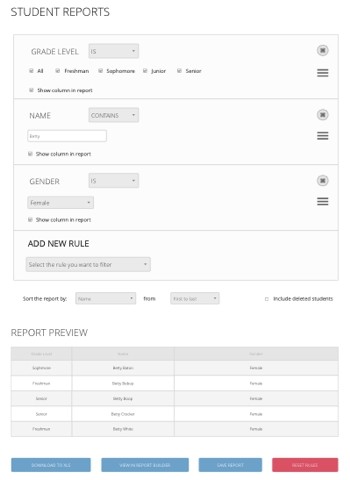
Customizable Report Builder
School staff need to access to and generate reports based on gathered information and specific circumstances. Using the scaffold reports, any staff or administrator have a simple and intuitive method to make domain specific reports. Advanced users have the option to generate any type of report using all available data points by using the report builder.
Streamlining Admissions
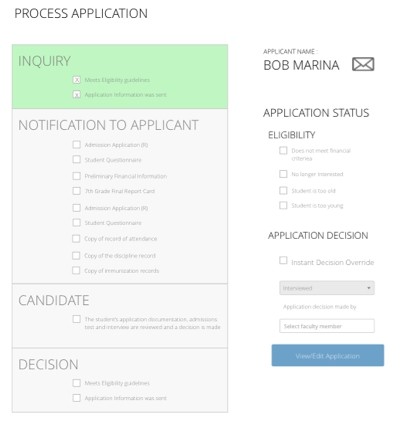
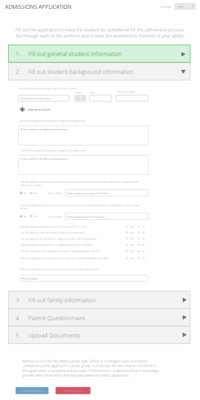
Every school year welcomes new students, but there are many steps from making an initial inquiry to deciding if a student is admitted. These designs allow parents to fill out incoming student applications, and help the admissions staff process those applications, gather relevant background information, and make decisions as to the status of the applicant. Using these products together has allowed small admissions teams to handle and organize new school prospects with greater efficiency.
Classroom Selection & Attendance
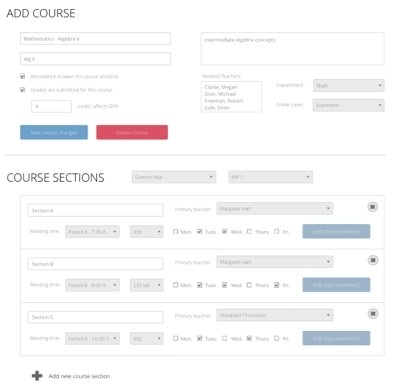
Setting up and detailing information about classes goes a long way towards establishing the day to day school schedule. Teachers can take attendance for each of their classes and help manage their students. With tools to associate specific course sections to a class, staff and administrators can get a grasp of when students and teachers meet up to learn a subject. Creating and gathering data about course grade weight, location, time, days, and students enrolled, gives users a lot of knowledge about how the school is running.
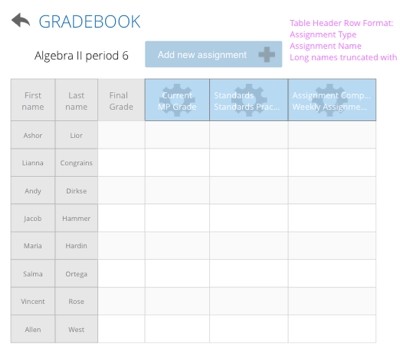
Tracking progress is necessary for schools. Teachers can modify grade books for each of their classes and add custom assignments with various weights to make it easier to automatically calculate final marking period grades.
Dashboard
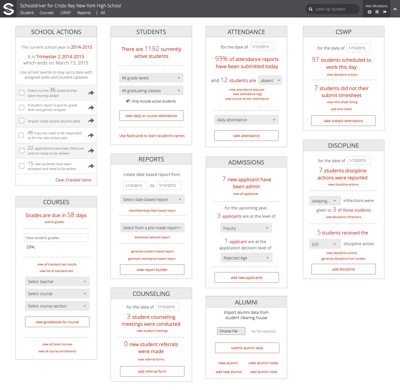
A look into the use case for the dashboard UX interface which was built for schools
Given different departments and functions, running a school can be difficult. With task and priorities vying for the attention, promoting focus was a challenge. The dashboard addressed this with place for administrative staff to concentrate on relevant school operations involving attendance, discipline, counseling, and more from any device.
Results & Accomplishments
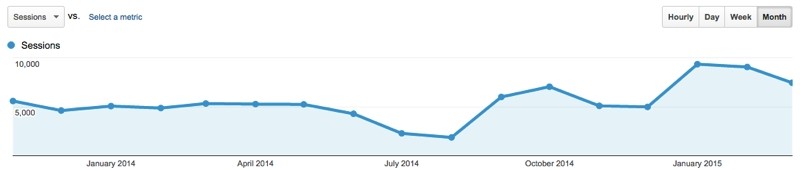
After implementing the designs, the number of sessions and user interactions with the system nearly doubled
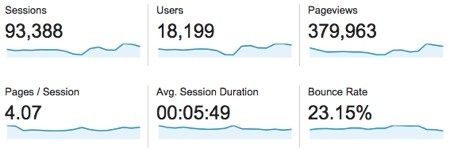
Not only did the number of sessions increase, but there were more users along with a reduction of pages that people needed to sift through during a session and lower time spent on sessions with a fewer bounce rate. Through careful planning, more people were accomplishing their task in less time.
Using Schooldriver, the largest existing open source school information system, Cristo Rey managed school staff, students, and activities.
Research & Analysis
Delving deep into the behaviors of different personnel is crucial to helping them achieve goals. People are more than their titles, and using research and personas to define them helps get the right product in their hands. Research Inquiries were standardized and simplified across dozens of roles for better attunement with daily procedures.
Interaction Analysis
Products pathways are unpredictable, and people interact with software in unintended ways. By quantitatively assessing differing decisions people make, we can forge the shortest path to the best solution. Getting a view of the choices and level of interaction can offer profound insight on what to prioritize in a design
Feature Prioritization
A good product is more than a sum of it's features. With means to prioritize the right request, software can stay on task and meet proper requirements. Proper tools put products into perspective.
User Flow Analysis
Drastic changes to home pages requires quantitative insight into behaviors. Analyzing user flows can determine when users give up or accomplish goals
Research and experiments are the difference between designing products that helps people, or getting in their way. By presenting users with options and gathering feedback through interviews and contextual inquiries, we can get a qualitative sense of their expectations when using new tools
Creation & Modernization
Driving the design direction of one of the largest open source information school system meant understanding and changing how the information was organized
Initial home page relied healiy on django admin interface. But was implementing apps and views to improve experience and capabilities.
Knowledge about collected information and user habits lead to a methodical shift from showing a mildly organized list of links, to displaying contextual information categorized under a page structure that matched closely with school departments
Customizable Report Builder
School staff need to access to and generate reports based on gathered information and specific circumstances. Using the scaffold reports, any staff or administrator have a simple and intuitive method to make domain specific reports. Advanced users have the option to generate any type of report using all available data points by using the report builder.
Streamlining Admissions
Every school year welcomes new students, but there are many steps from making an initial inquiry to deciding if a student is admitted. These designs allow parents to fill out incoming student applications, and help the admissions staff process those applications, gather relevant background information, and make decisions as to the status of the applicant. Using these products together has allowed small admissions teams to handle and organize new school prospects with greater efficiency.
Classroom Selection & Attendance
Setting up and detailing information about classes goes a long way towards establishing the day to day school schedule. Teachers can take attendance for each of their classes and help manage their students. With tools to associate specific course sections to a class, staff and administrators can get a grasp of when students and teachers meet up to learn a subject. Creating and gathering data about course grade weight, location, time, days, and students enrolled, gives users a lot of knowledge about how the school is running.
Tracking progress is necessary for schools. Teachers can modify grade books for each of their classes and add custom assignments with various weights to make it easier to automatically calculate final marking period grades.
Dashboard
A look into the use case for the dashboard UX interface which was built for schools
Given different departments and functions, running a school can be difficult. With task and priorities vying for the attention, promoting focus was a challenge. The dashboard addressed this with place for administrative staff to concentrate on relevant school operations involving attendance, discipline, counseling, and more from any device.
Results & Accomplishments
After implementing the designs, the number of sessions and user interactions with the system nearly doubled
Not only did the number of sessions increase, but there were more users along with a reduction of pages that people needed to sift through during a session and lower time spent on sessions with a fewer bounce rate. Through careful planning, more people were accomplishing their task in less time.